
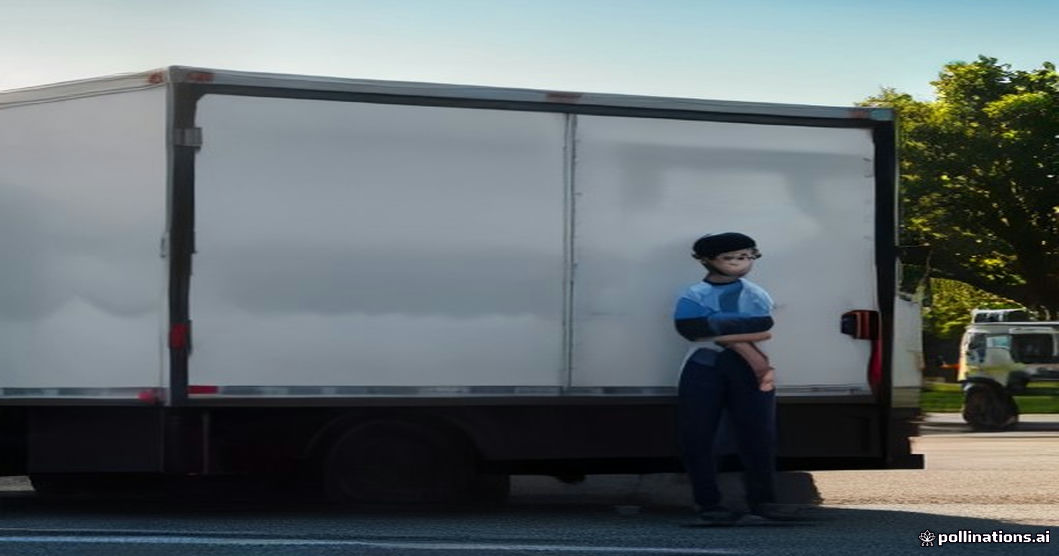
Every local service business we audit has the same gap. The trucks look sharp, the crews do great work, and the marketing runs on stock photos of strangers shaking hands. Your Google Business Profile, your ads, your recruiting posts, and your PR pitches all lean on images that could belong to anyone. The real material, your crew, your trucks, your finished jobs, sits in phone cameras unused.
The fix is a system, and it fits in one day. You run a professional brand-photography shoot once or twice a year and treat the output like an asset library.
Why one shoot beats twelve months of scraping
Scraping for images means every new campaign starts at zero. Someone digs through a phone for a usable crew photo, gives up, and grabs a stock shot. The result is a brand that looks generic exactly where trust gets built. A real photo of your actual tech in a clean uniform does more work than any polished stock image, because local buyers check whether you look like an established company.
A single planned shoot removes that scramble. You capture a full year of material in one organized push, and every channel pulls from the same library. The look stays consistent, the brand builds recognition, and nobody burns an afternoon hunting for a picture.
Plan the shot list before you book anything
The shot list is the heart of the system. Write it two weeks before the shoot and share it with the photographer. A solid list for a home-service company covers six buckets.
- Crew candids: techs laughing at the shop, a morning huddle, someone checking a tablet on a tailgate. These humanize the brand and power recruiting posts.
- Trucks rolling: the fleet clean and staged, driving shots, a truck pulling away from a finished job. Vehicles are your most recognizable brand asset.
- Job-site action: staged but realistic work scenes. Gloves on, tools out, real posture. These feed ads and service pages.
- Completed-work details: tight shots of finished installs and before-and-after pairs where you control both sides.
- Office and CSR team: your dispatcher and office staff answering phones and smiling at desks. Customers talk to these people, so show them.
- Owner portrait: a proper headshot plus environmental shots of you walking a job or talking with a tech. Owners front local trust.
Also plan for crops. You need wide hero images for the website, square versions for GBP posts and social feeds, and vertical frames for stories. One setup can yield all three if you tell the photographer ahead of time.
Hire a local photographer and brief them properly
Skip the big-city studio name. A local commercial or editorial photographer with a portfolio of people at work is what you want. Wedding and event shooters or real-estate photographers are often a strong fit. Expect a full-day rate somewhere between $800 and $3,000 depending on your market.
Your brief should cover five things: the shot list, the locations and schedule, brand basics like uniforms and truck cleanliness, the crop ratios you need, and how the photos will be used. That last point matters for licensing.
Scout the locations a few days early. Pick jobs that will look finished on shoot day, confirm customer permission for any real job sites, and have a rain plan. A wasted shoot day is the most expensive line item in this whole system.
Get the licensing in writing
What the license must cover
Photographers keep copyright by default, so the license is where your library lives or dies. Put a broad commercial license in the contract: use on your website, paid ads, social platforms, email, print, and PR placements, in perpetuity, with the right to edit and crop. If a franchise, partner, or publication will receive images, say so now.
The traps to watch
Watch for three traps. Usage windows that expire after a year. Limits on paid advertising, which is where your best photos earn their keep. And exclusivity clauses you never asked for. Buy the usage you actually need, and get high-resolution files delivered, not only the photographer's selects.
Run the day, then organize the library so anyone can use it
Run the day like a production
On shoot day, work the list in order and assign a runner to check off shots as you get them. Add staged client interactions and short video clips of the same setups for motion assets at almost no extra cost.
Tag and folder the library
When the files arrive, the real work starts. Build a shared folder structure with a simple tagging convention: year, service line, location, people shown, and asset type. Tag by name and role, because that is how you find a headshot fast when someone leaves or a publication asks for a crew photo.
- Folder by channel: website heroes, GBP posts, ads, recruiting, PR, and email headers.
- Tag by subject: person, truck number, service type, season, and job type.
- Keep masters separate: full-resolution originals stay untouched, and exports live in the channel folders.
- Write alt text once: descriptive alt text on upload speeds every future placement and helps local SEO.
Refresh and re-shoot on a schedule
Headshots go stale the day someone quits. Keep tags current so you can swap one face and re-export a team page in minutes. For anyone client-facing, book a mini-session with the same photographer so lighting and style stay consistent.
Plan one major shoot per year, with a half-day refresher in between if your fleet, uniforms, or services change. Seasonal re-shoots keep ads honest too. Winter imagery in a July ad reads lazy and dates your brand.
The cost logic
Run the amortization and the shoot pays for itself. A $2,000 shoot spread across twelve months of GBP posts, ad creative, recruiting campaigns, email headers, and PR pitches comes out to roughly ten dollars an asset. A stock subscription cannot match that, because it sells the same images to your competitors. Every image from your shoot is yours alone, and the library compounds. Year two starts with year one's assets still working.
Compare that with the hidden cost of scraping. Hours of staff time per campaign, inconsistent visuals, and ads that look like everyone else's. The shoot converts scattered effort into inventory you own.
Your action list for this quarter
- Step 1: Audit every channel and list the image gaps. Note which posts used stock photos this year.
- Step 2: Write the shot list across the six buckets, with crop ratios noted per use.
- Step 3: Shortlist three local commercial photographers, review portfolios, and request full-day quotes.
- Step 4: Send the brief covering shot list, schedule, brand standards, and intended usage.
- Step 5: Sign a contract with a broad perpetual commercial license and full-resolution delivery.
- Step 6: Scout locations, confirm permissions, and stage trucks, uniforms, and jobs.
- Step 7: Run the shoot against the list and grab short video clips at each setup.
- Step 8: Build the tagged library with channel folders, masters, and alt text.
- Step 9: Schedule the annual re-shoot and a headshot mini-session for any turnover.
Do this once and you will feel the difference within a month. Every campaign starts from inventory instead of a blank search bar, and your brand finally looks like the company it already is.